
2026-09-02 · 9 min read · AI Prompts Online Team
Midjourney vs DALL·E Prompting: Which Style Wins?
Compare Midjourney vs DALL·E prompting for layout, lighting, and consistency. Copy-ready templates and a side-by-side workflow for image teams.
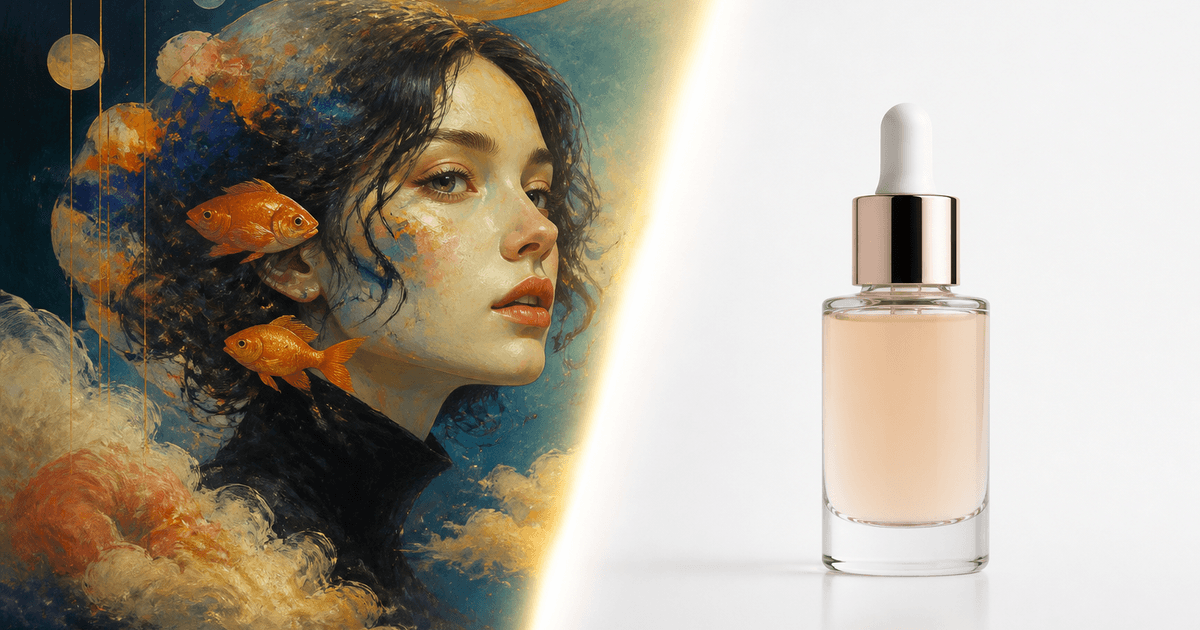
Midjourney vs DALL·E prompting comes down to how each model reads instructions. Midjourney leans into aesthetic shorthand and built-in parameters; DALL·E follows literal layout and object descriptions. Pick the brief style that matches your deliverable, campaign mood boards favor Midjourney, while placement-heavy comps favor DALL·E.
Key Takeaways
- Midjourney prompts work like compressed shot lists; DALL·E prompts work like art-direction memos with spatial coordinates.
- Use Midjourney for stylized campaigns, cinematic lighting, and fast aesthetic exploration.
- Use DALL·E when you need explicit placement, readable compositions, and layout-friendly language.
- Do not paste parameters across tools, translate intent, not syntax.
- Start from paired templates like our Midjourney packshot starter and DALL·E packshot starter before writing from scratch.
Why Midjourney vs DALL·E Prompting Feels Confusing
Both tools turn text into images, so teams assume one prompt should work everywhere. That assumption creates wasted credits and inconsistent catalogs. The models were trained and tuned for different interaction styles.
Midjourney optimizes for visual taste. It expects you to name the subject, set the scene, specify light and lens, then tune output with flags. Early tokens carry more weight, so order matters.
DALL·E optimizes for instruction following. It wants you to say what exists, where it sits, what is excluded, and what the background is. It tolerates longer plain sentences better than poetic compression.
If your team treats them the same, you will get beautiful but wrong layouts in Midjourney and literal but flat scenes in DALL·E. The fix is a dual template library, not a single mega-prompt.
Midjourney Prompting: What Works
The Midjourney brief stack
A production Midjourney line usually follows this order:
- Hero subject: concrete nouns, materials, scale cues
- Environment: surface, room type, weather, era
- Lighting: motivated source, quality, direction
- Camera: lens, angle, depth of field
- Mood: one or two adjectives, not ten
- Parameters: aspect ratio, stylize, version
Example for ecommerce: frosted glass serum bottle on matte stone, soft north-window light, 85mm product macro, calm premium mood, --ar 4:5 --stylize 120.
That is not marketing copy. It is a shot list. Our lifestyle kitchen starter uses the same stack with hands and context props locked for CPG brands.
Midjourney strengths
- Fast aesthetic polish without a separate grade pass
- Strong cinematic and illustration styles out of the box
- Parameter surface for batch consistency (
--ar,--stylize,--style raw) - Community-proven templates for anime, cyberpunk, and product categories
Midjourney weaknesses
- Layout precision can drift when prompts get poetic
- Text-in-image remains unreliable
- Literal brand geometry may need extra constraint language or references
- Parameter knowledge is required for repeatable pipelines
For a full Midjourney workflow, read how to write Midjourney prompts.
DALL·E Prompting: What Works
The DALL·E layout brief
DALL·E rewards spatial clarity. Think like a designer placing layers in Figma:
- Canvas: background color, aspect intent, empty space for type
- Subject list: each object with size and material
- Placement: centered, left third, foreground, on a shelf
- Exclusions: no text, no watermark, no extra objects
- Style: one reference lane: studio photo, flat illustration, etc.
Example for the same serum bottle: A single frosted glass skincare bottle centered on a seamless white background, soft shadow beneath, studio product photography, high detail, no labels, no text, no props, square composition.
Notice the difference: DALL·E gets placement and exclusions upfront. Midjourney gets light and lens poetry.
DALL·E strengths
- Follows "put X on the left" style instructions reliably
- Good for mockups, diagrams, and simple packshots
- Plain English onboarding for non-designers
- Useful when marketing needs a fast layout proof before art direction
DALL·E weaknesses
- Cinematic lighting often needs more explicit direction than one adjective
- Highly stylized campaigns may need more iterations than Midjourney
- Less community convention around shared parameter shortcuts
- Batch consistency relies on prompt discipline, not seed flags
Browse DALL·E product photography prompts when you need layout-first briefs.
Midjourney vs DALL·E Prompting: Side-by-Side Comparison
| Dimension | Midjourney | DALL·E |
|---|---|---|
| Prompt voice | Aesthetic, compressed | Literal, spatial |
| Best token order | Subject → light → lens → flags | Canvas → objects → placement → exclusions |
| Layout control | Moderate; describe crop and negative space | Strong; name positions explicitly |
| Lighting control | Strong with film-language cues | Good when sources are named plainly |
| Parameters | Built-in CLI flags | Mostly natural language |
| Batch consistency | Templates + parameters + references | Templates + strict object lists |
| Learning curve | Medium (parameters) | Lower for simple comps |
| Ideal deliverable | Hero art, campaigns, concept boards | Layout proofs, simple packshots, diagrams |
This table is a decision guide, not a verdict. Many studios use both in the same week.
Same Creative Goal, Two Prompt Translations
Goal: homepage hero with product and copy space.
Midjourney version: wireless earbuds case on reflective dark plinth, moody rim light from camera left, wide 24mm hero framing, generous negative space on right third for headline, premium tech campaign, --ar 21:9.
DALL·E version: Wireless earbuds charging case on a dark reflective surface, positioned on the left side of a wide banner image, large empty space on the right for text overlay, studio lighting with soft rim light, no text, no logo, cinematic product photo, wide horizontal composition.
Same brief, different grammar. Our hero banner starter encodes the Midjourney pattern; translate it manually for DALL·E by expanding placement clauses.
Workflow: When to Use Which Tool
Step 1: Classify the job
Ask one question: Is layout the risk or is taste the risk?
- Layout risk → start in DALL·E
- Taste risk → start in Midjourney
Layout risk examples: icon grids, explainer diagrams, strict packshot centering, UI mockups with labeled regions.
Taste risk examples: seasonal campaign look, cinematic character portraits, anime key visuals, luxury still life mood.
Step 2: Pick a category template
Do not open a blank box. Choose the closest starter in our library for the target tool. Templates encode lighting and exclusion language your team will forget on a Monday morning.
Step 3: Run a four-up review
Generate four variations with locked randomness policy per tool. Note failures: floating objects, melted text, wrong crop, off-brand warmth.
Step 4: Patch one variable
Change lighting OR placement OR subject, not all three. Log the edit beside the approved frame in your DAM.
Step 5: Hand off with the prompt attached
Future-you should not reverse-engineer success. Archive prompt text, tool name, and crop intent with the asset.
Category Examples: Product, Cinematic, and Tech
Product photography
Midjourney teams standardize lens and light once per season, then swap SKUs. DALL·E teams standardize background and centering language, then swap product nouns. For multi-SKU sets, compare colorway set starter Midjourney language with a DALL·E rewrite that says identical lighting, three color variants, centered, white seamless.
Cinematic scenes
Midjourney often wins first pass on golden hour portrait language, backlight, flare control, oval bokeh. DALL·E can match the scene if you specify shot type, subject position, and background depth in plain terms, but expect more iterations for film-grade mood.
Technology and UI
DALL·E is frequently faster for product UI style requests: clean interface, labeled regions, realistic glass. Midjourney can produce stunning abstract tech art, but readable UI labels are a known pain point in both tools, plan on post-production for type.
Common Mistakes When Switching Tools
Mistake 1: Pasting Midjourney flags into DALL·E. --ar 16:9 means nothing to DALL·E. Say "wide horizontal banner" instead.
Mistake 2: Using vague placement in DALL·E. "Nice composition" fails. "Product centered with empty upper third" succeeds.
Mistake 3: Skipping exclusions in DALL·E. Always end with what must not appear: no text, no watermark, no extra limbs, no duplicate products.
Mistake 4: Over-styling Midjourney. Ten art movements fight each other. One dominant style plus one accent.
Mistake 5: No shared template doc. Maintain two columns in your style guide: Midjourney line and DALL·E translation for each catalog look.
How Stable Diffusion Fits the Picture
Teams running local pipelines often add Stable Diffusion for seed-locked repeatability. It uses weighted tokens and negative prompts rather than Midjourney flags or DALL·E literalism. If you need reproducible SKU grids at scale, read our Stable Diffusion prompt structure guide after you settle on creative direction in Midjourney or DALL·E.
Building a Team Translation Sheet
Create a one-page doc with three columns: creative intent, Midjourney line, DALL·E line. Example rows:
| Intent | Midjourney | DALL·E |
|---|---|---|
| White packshot | Bottle, 85mm, softbox, --ar 4:5 | Centered bottle, white seamless, soft shadow, square |
| Wide hero | Product left, negative space right, --ar 21:9 | Product on left third, empty right for text, wide banner |
| Flat lay | Top-down kit, aligned geometry, soft even light | Top-down photo, objects arranged in grid, no hands |
Update the sheet when campaigns change. New hires should generate acceptable output on day one.
Tools That Speed Up Dual-Tool Work
Manual translation is fine for one-off hero frames. Production teams benefit from generators that enforce category structure per tool. Use our prompt generator to assemble copy-ready briefs, then paste the output into the right interface. For tightening weak drafts, the prompt enhancer adds missing lighting, placement, or exclusion clauses without rewriting your entire brief.
For a broader look at when to use generators versus libraries, see free AI prompt generators comparison.
FAQ
Is Midjourney or DALL·E better for product photography prompts?
Midjourney excels when you want stylized lighting, lens language, and campaign aesthetics with parameter control. DALL·E is stronger when you need literal object placement, readable layouts, and plain-language instructions for ecommerce crops. Many teams use DALL·E for layout proofs and Midjourney for hero art direction.
Do Midjourney and DALL·E use the same prompt structure?
No. Midjourney rewards concise aesthetic stacks, subject, environment, lighting, lens, then flags like aspect ratio. DALL·E responds better to explicit spatial language: left third, centered, on a white background, no text. Treat them as different brief formats even when the creative goal is the same.
Can I copy a Midjourney prompt into DALL·E?
You can reuse the creative intent, but not the syntax. Strip Midjourney parameters, expand placement and composition, and replace poetic style stacks with clear object lists. A packshot brief that says 85mm macro in Midjourney should become centered product on seamless white with soft shadow in DALL·E.
Which tool is easier for beginners?
DALL·E is often easier for first success because it follows literal sentences. Midjourney has a steeper curve around parameters and token weighting, but it produces polished aesthetics faster once you learn a template. Beginners should start with category starters rather than blank prompts for either tool.
Conclusion
Midjourney vs DALL·E prompting is not a contest, it is a translation problem. Midjourney wants shot-list poetry and parameters; DALL·E wants spatial instructions and explicit exclusions. Match the brief style to the deliverable, maintain a dual template library, and iterate one variable at a time.
Open the prompt generator to build tool-aware briefs, browse Midjourney and DALL·E libraries for paired starters, and read the Stable Diffusion prompt structure guide when you need seed-locked production pipelines.
Frequently asked questions
- Is Midjourney or DALL·E better for product photography prompts?
- Midjourney excels when you want stylized lighting, lens language, and campaign aesthetics with parameter control. DALL·E is stronger when you need literal object placement, readable layouts, and plain-language instructions for ecommerce crops. Many teams use DALL·E for layout proofs and Midjourney for hero art direction.
- Do Midjourney and DALL·E use the same prompt structure?
- No. Midjourney rewards concise aesthetic stacks, subject, environment, lighting, lens, then flags like aspect ratio. DALL·E responds better to explicit spatial language: left third, centered, on a white background, no text. Treat them as different brief formats even when the creative goal is the same.
- Can I copy a Midjourney prompt into DALL·E?
- You can reuse the creative intent, but not the syntax. Strip Midjourney parameters, expand placement and composition, and replace poetic style stacks with clear object lists. A packshot brief that says 85mm macro in Midjourney should become centered product on seamless white with soft shadow in DALL·E.
- Which tool is easier for beginners?
- DALL·E is often easier for first success because it follows literal sentences. Midjourney has a steeper curve around parameters and token weighting, but it produces polished aesthetics faster once you learn a template. Beginners should start with category starters rather than blank prompts for either tool.
Ready to generate a prompt?
Use our free tools to build copy-ready prompts for any model and category.